5-hour session limit
How much of the current 5-hour window is left, and the moment it resets.
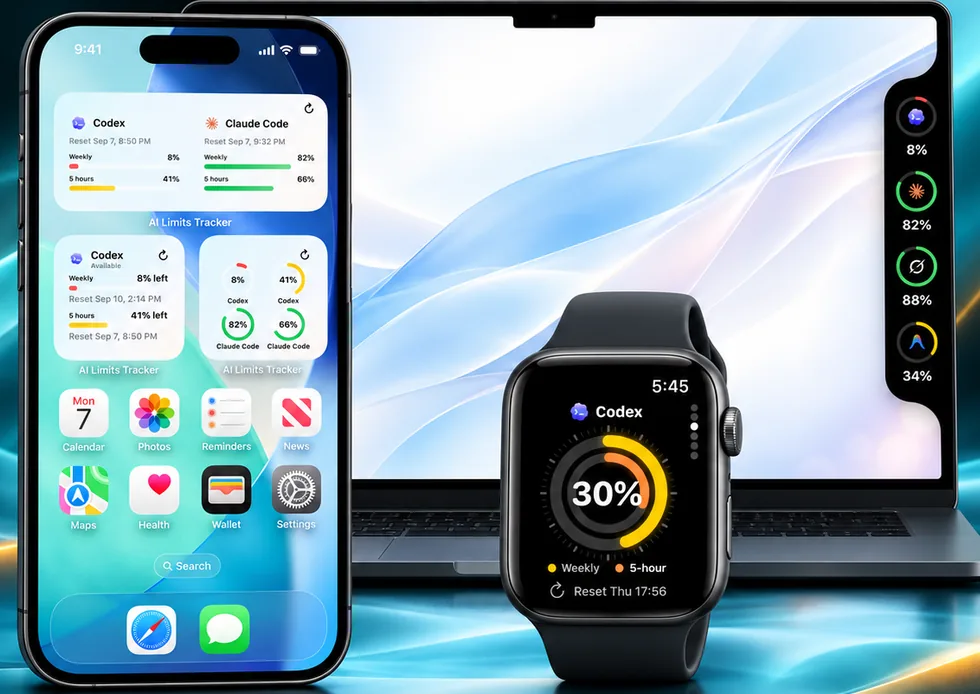
AI Limits Tracker reads the 5-hour session limit and weekly limit of your Claude account straight from Anthropic, and keeps the percentage left and the exact reset time in view — no terminal command needed.
Free with one connected account. iPhone (iOS 17 or later), Apple Watch, Mac menu bar, and Android.
How much of the current 5-hour window is left, and the moment it resets.
The weekly limit, plus separate model pools when your plan has them.
Shown in your local time, so you know exactly when you can pick the work back up.
A notification when the weekly limit falls to the threshold you choose, and another when a limit resets.
On iPhone, Mac, or Android. No JoCoding account needed.
Sign in with Anthropic’s own login. No API key, nothing to paste into a terminal.
Add a Home Screen widget, keep the Mac menu bar item, or put a complication on your Apple Watch.
Connect your Claude account in AI Limits Tracker. The 5-hour session limit and weekly limit appear with the percentage left and the reset time, and stay visible in widgets and the Mac menu bar.
Each account has its own reset time. The app shows the exact reset time of both the 5-hour and the weekly limit in your local time zone, and can notify you when each one resets.
Yes. Home Screen widgets in small, medium, and large sizes plus a Lock Screen widget show the percentage left and the reset time. On the Mac, the same numbers sit in the menu bar, and Apple Watch shows them on your wrist.
Yes. The free version tracks one connected account. Pro adds more accounts — several Claude accounts, or Claude next to Codex, Grok, and Antigravity — and multi-account widgets.
On plans that include Fable models, Fable usage — Fable 5.1 included — is capped within your weekly limit. AI Limits Tracker shows that cap as its own “Fable 5 weekly” row next to the overall weekly limit, with its reset time, so you can see how much Fable you have left.